




Quick Summary
This article reviews the best email security solutions to protect your organization from phishing, fraud, and data breaches. We highlight top tools like Proofpoint and Mimecast, while also explaining why traditional email security solutions fall short when it comes to preventing B2B payment fraud. For more guides and reviews, check the Trustmi blog.
Want Stronger Email Security for Your Business?
Attackers see email as the easiest way into a company. With about 3.4 billion phishing emails sent every day, the odds are high that your employees will face spoofed domains, fake invoices, and other threats that basic spam filters can’t catch.
Businesses need tools that can spot and stop these modern inbox risks. In this Trustmi guide, we’ll break down seven of the best email security solutions available to businesses.
Why Listen to Us?
At Trustmi, we protect global enterprises from socially engineered fraud and payment errors with our Behavioral AI platform.
Our technology has already secured more than $200 billion in payments for clients worldwide. That experience gives us a clear view of which email security solutions deliver real protection, and which ones fall short.
What Is an Email Security Solution?
An email security solution is a set of tools and controls designed to detect, block, and respond to malicious or unauthorized emails before they reach users. It defends against phishing, spoofing, malware, impersonation, BEC (business email compromise) attacks, and other email-based threats.
While each organization may choose a solution based on its needs, common categories of email security solutions include:
- Advanced Threat Detection: Uses machine learning and behavioral analysis to spot sophisticated, zero-day threats that traditional filters often miss. Examples: Abnormal Security, Ironscales.
- Secure Email Gateway: The first defense layer that actively filters inbound traffic to quarantine spam, malware, and known threats before they reach inboxes. Examples: Proofpoint, Mimecast, Barracuda Email Protection.
- Authentication Protocols: Sender Policy Framework (SPF), DomainKeys Identified Mail (DKIM), and Domain-based Message Authentication, Reporting, and Conformance (DMARC) are essential protocols for verifying a sender’s identity to prevent domain spoofing. Tools like Valimail, PowerDMARC help automate the verification process.
- Encryption: Protects sensitive message content during transmission and storage, ensuring data privacy and regulatory compliance. Examples: Virtru and OpenText™ Core Email Encryption.
So that’s what email security solution is. But here’s the part most teams overlook: what email security isn’t designed to catch.
Why Most Email Security Solutions Aren’t Enough for Payment Fraud
Email security tools focus on the inbox, not the payment process. That matters because an email compromise—whether malicious or “clean”—is often the trigger attackers use to alter vendor details, approvals, or payment instructions downstream. That’s where the actual financial damage occurs.
And while traditional email security solutions are excellent at blocking malicious emails, they can’t see the financial manipulations that happen inside vendor relationships, procurement workflows, and payment approvals. Today’s attackers often bypass “bad” emails altogether. They either avoid email as an entry point—or they compromise a vendor and send completely clean, legitimate-looking messages that email security tools trust by default.
As Bobby Ford explained on the Defense in Depth podcast, many major attacks in the past two years didn’t start with phishing at all—they began through help desks, messaging platforms, or compromised vendor accounts. The inbox is just one doorway. Focusing solely on email defenses is like locking the front door while leaving every window open.
Email-only security has gaps like:
- No Financial Context: Can’t correlate email requests with ERP data, vendor payment history, or banking information
- Limited Visibility: Protection stops at the inbox, leaving procurement, approval, and payment stages vulnerable
- Manual Verification Required: Organizations still rely on stressful, unreliable manual callbacks and checks
- Fragmented Tools: Lack integration with financial systems, vendor relationships, and payment workflows
To truly stop B2B payment fraud, organizations need solutions that monitor the entire payment lifecycle (from vendor onboarding through payment execution), integrating with ERPs, procurement systems, and financial platforms to detect behavioral anomalies and verify every payment before money moves.
Related: the best software to protect against phishing attacks.
7 Best Email Security Solutions for Security Teams
Now that you know what email security can and can’t protect, here are the top tools that actually deliver strong inbox defense today.
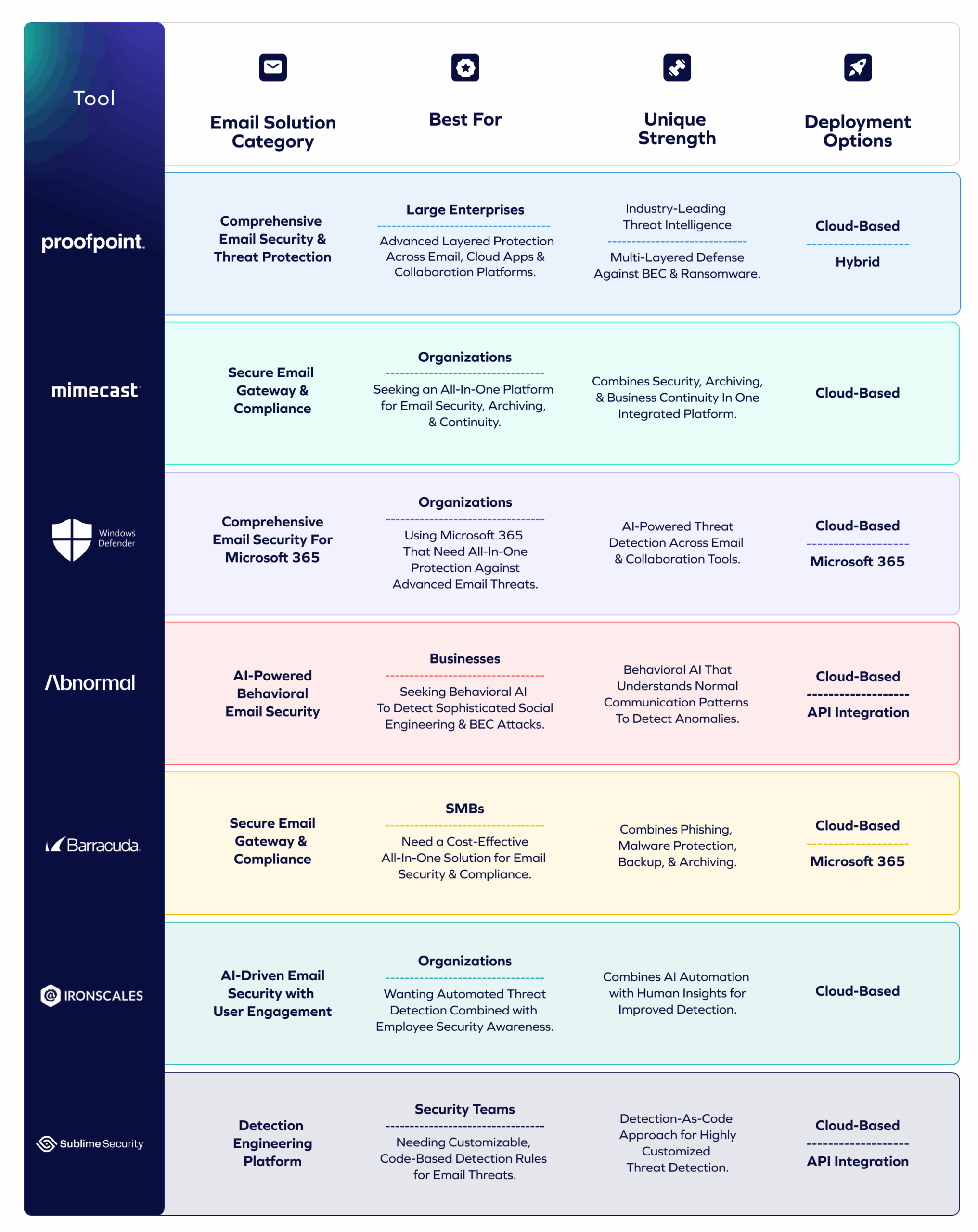
Next, let’s look at each tool in detail.
Related: check our list of the best business email compromise tools
1. Proofpoint
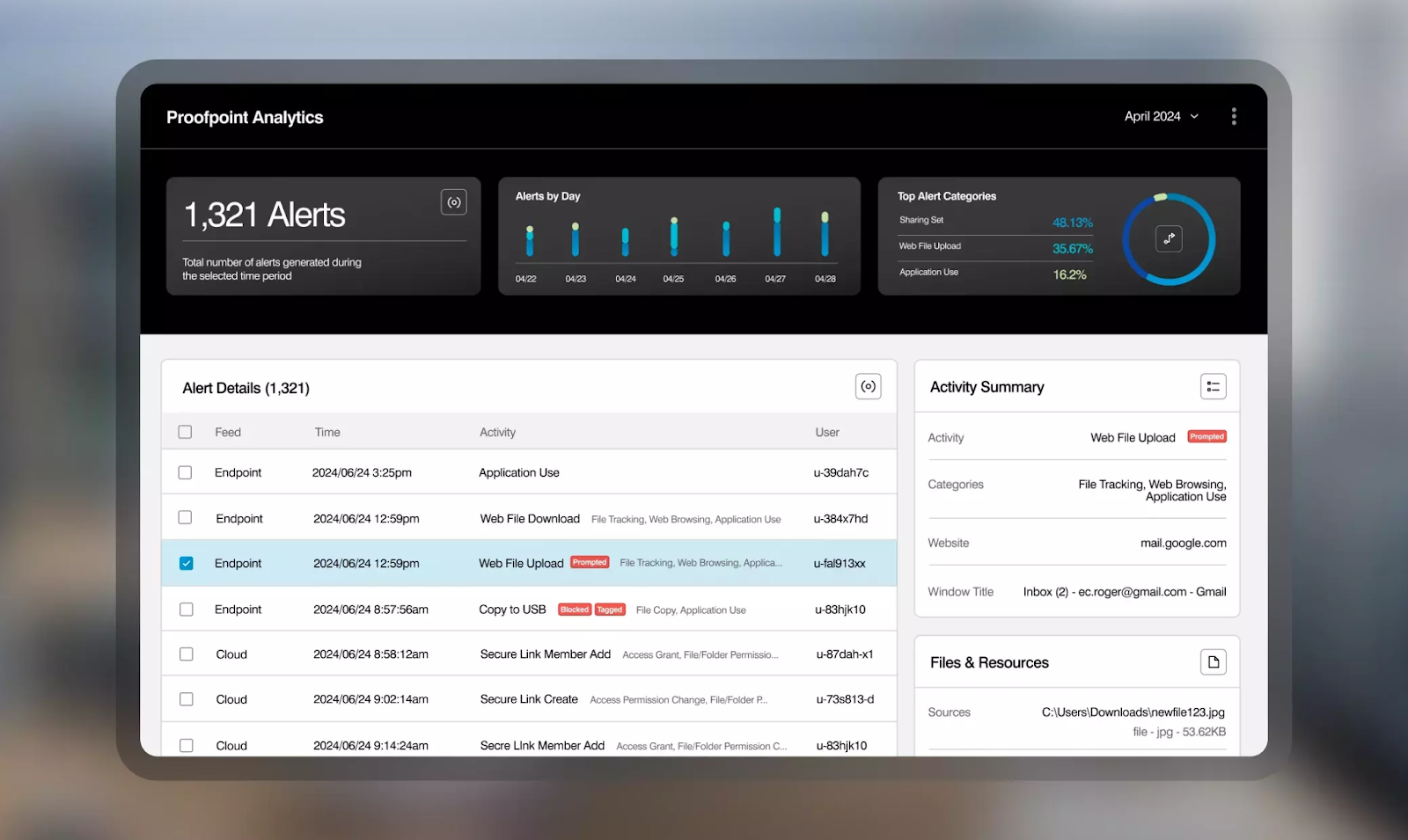
Proofpoint is a comprehensive email security solution designed to protect organizations from advanced threats including phishing, malware, ransomware, and business email compromise. As a leader in the Secure Email Gateway and Advanced Threat Detection categories, Proofpoint offers multi-layered protection with extensive threat intelligence.
The platform provides inline and API-based security for cloud email providers, along with account takeover protection and extensive integration across the security ecosystem.
Its real differentiator is depth: Proofpoint delivers the most mature SEG capabilities and the strongest threat intelligence for large, complex enterprises.
Key Features
- Advanced Threat Protection: Multi-layered defense using signature-based and behavioral analysis to block spam, malware, ransomware, and zero-day threats.
- BEC and Impersonation Defense: AI-driven detection of business email compromise, executive impersonation, and supplier fraud attacks.
- Account Takeover Protection: Monitors for compromised credentials and suspicious account activity to prevent unauthorized access.
- Threat Intelligence Network: Leverages one of the industry’s largest threat intelligence networks to identify emerging threats quickly.
- Integrated Cloud Security: Extends protection to cloud applications and collaboration platforms beyond email.
Pricing
Proofpoint offers customized enterprise pricing based on organization size and required features. Contact their sales team for a quote.
Pros
- Excellent phishing, BEC, and impersonation protection
- Deep threat intelligence and strong integrations
- Robust DLP and policy controls
Cons
- Expensive for smaller organizations
- Complex setup and admin interface
- Occasional false positives and slow support
2. Mimecast Email Security
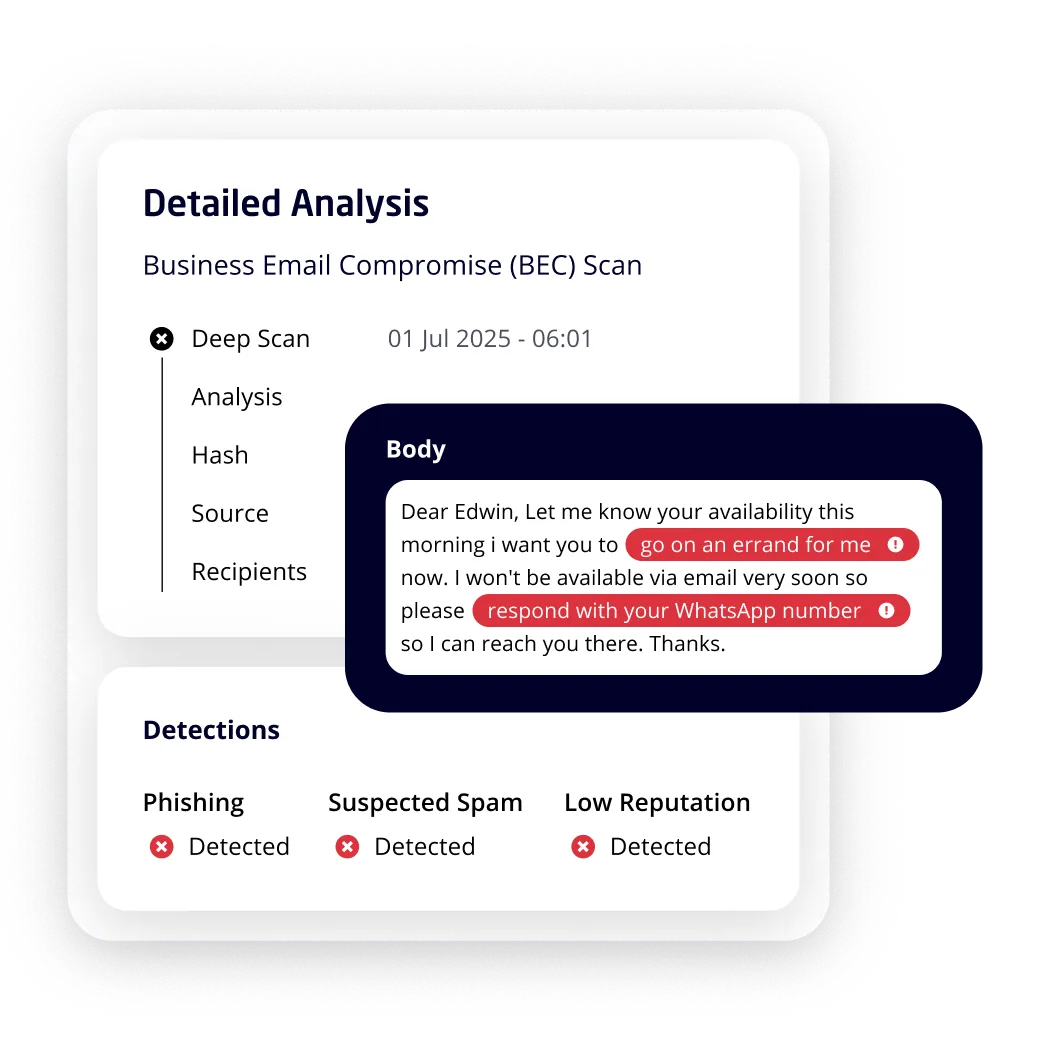
Mimecast is a unified email security platform that combines advanced threat protection with archiving, continuity, and compliance features. As both a Secure Email Gateway and comprehensive email management solution, Mimecast provides organizations with an all-in-one approach to email security
The platform protects against phishing, malware, ransomware, and impersonation attacks while ensuring email availability and regulatory compliance.
Its differentiator is breadth: security, archiving, continuity, and compliance all in one platform, making it ideal for companies wanting a single vendor for multiple email functions.
Key Features
- Comprehensive Threat Protection: Defends against phishing, malware, ransomware, and impersonation attacks with multi-layered security.
- Email Continuity: Ensures email access during outages with cloud-based continuity services.
- Archiving and Compliance: Long-term email archiving with eDiscovery and compliance tools for regulatory requirements.
- URL and Attachment Protection: Real-time scanning and rewriting of URLs, plus sandboxing of suspicious attachments.
- Security Awareness Training: Built-in phishing simulation and training to educate employees.
Pricing
Mimecast offers tiered pricing based on the number of users and selected features. Contact Mimecast for detailed pricing information.
Pros
- All-in-one platform for security, archiving, and continuity
- Reliable email continuity and strong attachment/URL scanning
- Built-in user training
Cons
- Clunky interface and complex configuration
- Mixed support quality
- Higher cost vs. point solutions
3. Microsoft Defender for Office 365
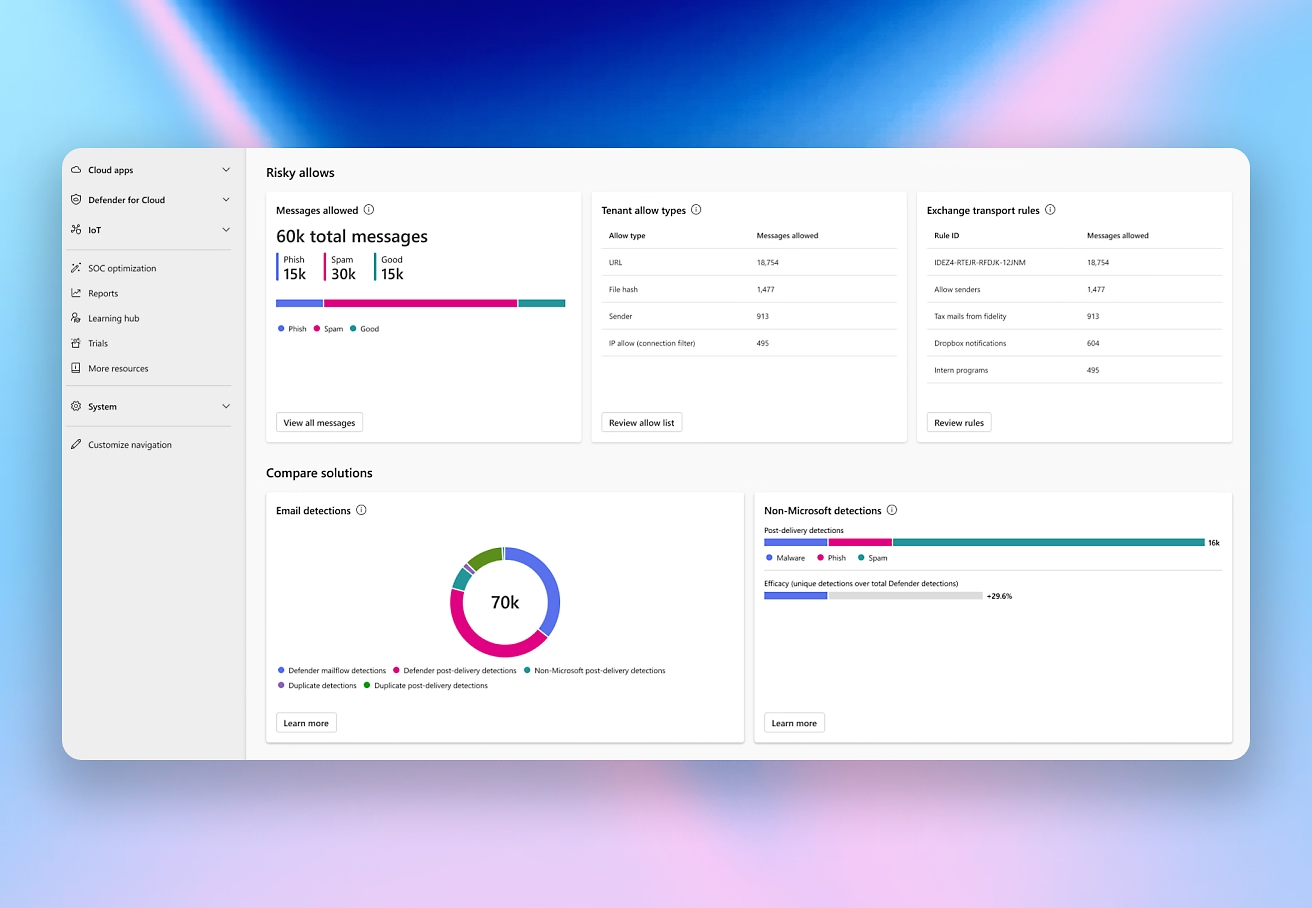
Microsoft Defender for Office 365 is a comprehensive email security solution designed specifically for Microsoft 365 environments. It offers an all-in-one protection against advanced email threats, including phishing, malware, and business email compromise (BEC).
As part of the Microsoft 365 suite, Defender integrates seamlessly with Outlook, Teams, and other apps, allowing organizations to maintain a unified security posture without relying on third-party tools.
Its standout advantage is native integration—no other tool offers deeper visibility or automated response inside Microsoft apps and collaboration tools.
Key Features
- AI-Powered Sentiment Analysis: Uses generative AI and language models to enhance filtering and accurately detect attacker intent with 99.99% accuracy.
- Inline User Protection: Blocks malicious content and links directly in Outlook and Microsoft Teams with user awareness banners.
- XDR Disruption Capabilities: Analyzes attacker intent and enables automated containment, minimizing impact from attacks like BEC.
- Cross-Platform Defense: Secures email alongside collaboration apps like Teams, SharePoint, and OneDrive with real-time detonation.
- Automated Investigation and Response: Rapidly contains and reverses cyberattack effects with minimal need for manual intervention by SecOps.
Pricing
Microsoft Defender for Office 365 offers two plans with annual commitments:
- Plan 1 ($2.00 per user/month): Includes protection for email, Teams, SharePoint, OneDrive, real-time protection for malicious links/QR codes, zero-day malware protection, and real-time reporting.
- Plan 2 ($5.00 per user/month): Includes all Plan 1 features plus advanced cyberthreat hunting, attack simulation training, automated response, and cross-domain XDR capabilities.
Also included in Microsoft 365 E5 Security.
Pros
- Seamless Microsoft 365 integration
- AI-driven protection and automated response
- Good value within M365 plans
Cons
- False positives require tuning
- Limited depth vs specialized vendors
- Occasional performance impact
4. Abnormal Security
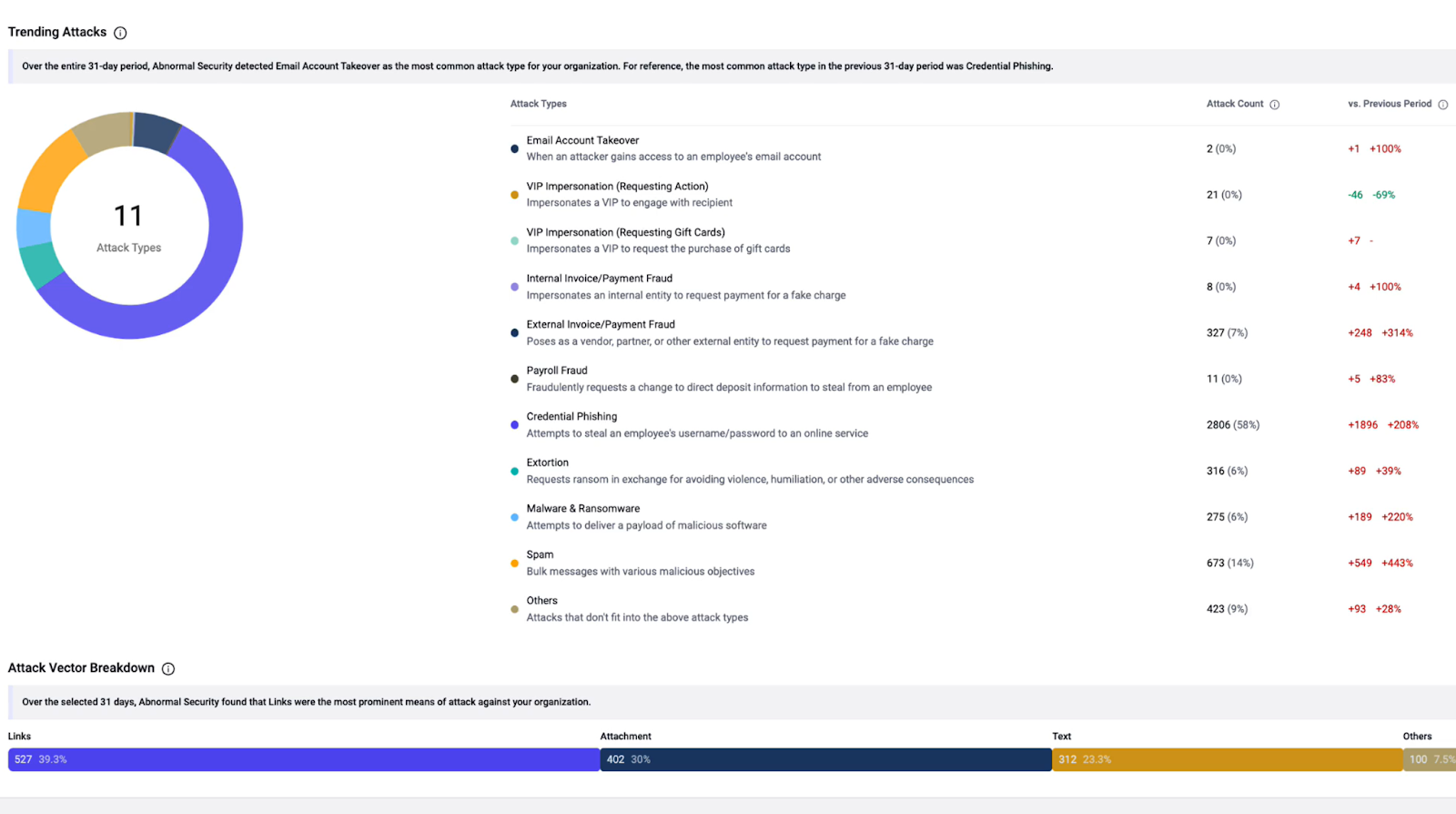
Abnormal Security is an AI-native behavioral email security platform that uses machine learning to understand normal communication patterns and detect anomalies indicative of sophisticated attacks. Unlike traditional email security that relies on rules and signatures, Abnormal focuses on behavioral analysis to catch social engineering attacks
The platform integrates via API with cloud email providers like Microsoft 365 and Google Workspace to provide advanced threat protection without requiring email routing changes.
Its biggest differentiator is its behavioral AI. Abnormal excels at detecting subtle BEC/VEC anomalies that other tools miss, without requiring SEG routing changes.
Key Features
- Behavioral AI Detection: Learns normal communication patterns for employees and vendors to identify anomalies and social engineering tactics.
- Inbound Email Security: Detects and blocks phishing, BEC, account takeover, malware, and other threats using behavioral analysis.
- Email Account Compromise Detection: Identifies compromised accounts by detecting unusual sending behavior and unauthorized access.
- Supply Chain and VEC Protection: Analyzes vendor communication patterns to detect vendor email compromise attacks.
- Automated Remediation: Automatically removes malicious emails from inboxes after delivery if threats are discovered post-delivery.
Pricing
Abnormal Security uses customized enterprise pricing. Contact their sales team for a quote based on your organization’s size and needs.
Pros
- Behavioral AI excels at detecting social engineering and BEC
- Easy API-based deployment (no mail flow changes)
- Low maintenance once configured
Cons
- Occasional false positives
- Performance strongest in Microsoft 365
- Limited visibility into model logic
5. Barracuda Email Protection
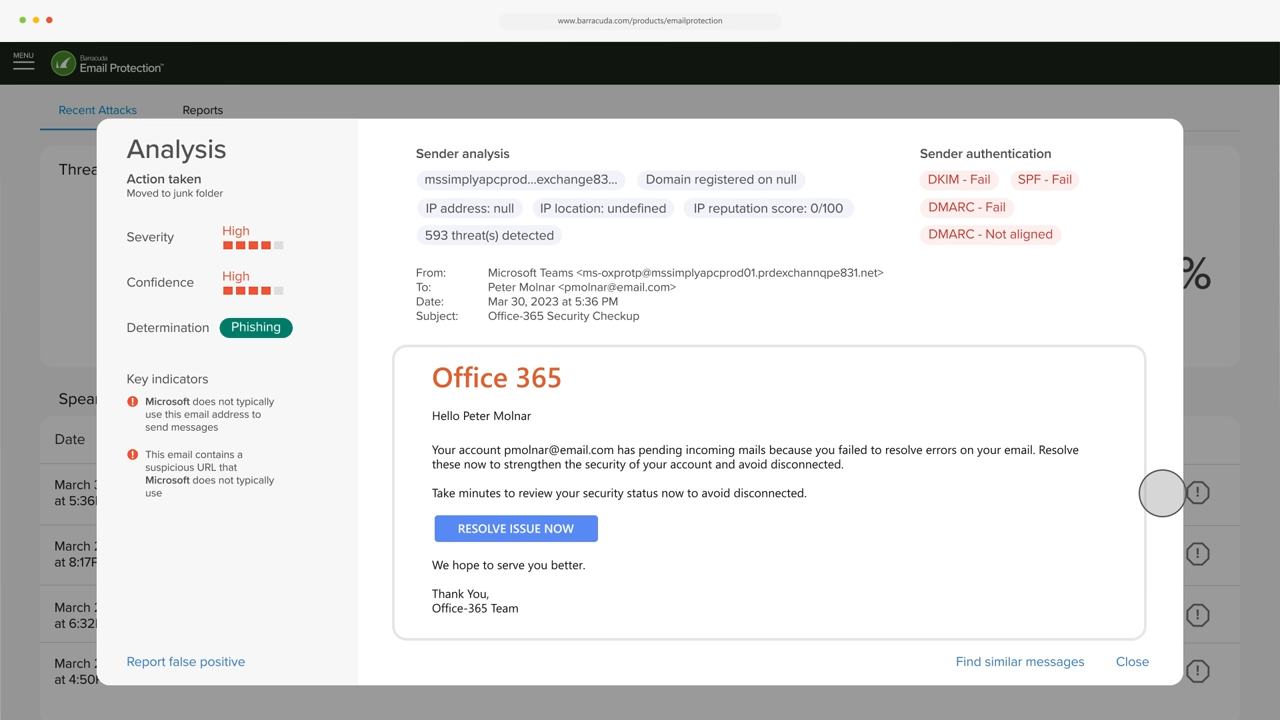
Barracuda Email Protection is a unified security platform designed to protect organizations from a wide range of email threats. It acts primarily as a Secure Email Gateway, serving as the first line of defense while also providing essential continuity and compliance features.
This tool combines phishing and malware detection with backup, encryption, archiving, and user training, making it an excellent choice for small to mid-sized businesses looking for a cost-effective, all-in-one solution.
Key Features
- Advanced Threat Protection: Combines signature-based detection with behavioral analysis to block spam, malware, ransomware, and zero-hour threats, reducing exposure to evolving email-borne attacks.
- Phishing and Impersonation Defense: Uses AI-driven analysis to detect phishing attempts, spear-phishing, and BEC, protecting users from targeted attacks that often evade traditional filters.
- Incident Response Automation: Automates the investigation and remediation of suspicious emails, helping IT teams quickly quarantine malicious messages before users act on them.
- Email Encryption and Compliance: Automatically encrypts sensitive emails and enforces compliance policies, making it ideal for industries with strict regulatory requirements, like healthcare, finance, and government.
- Cloud Archiving and Continuity: Ensures long-term retention and availability of emails during outages, simplifying compliance audits and legal discovery requests.
Pricing
Barracuda offers three pricing plans tailored to the number of users: one for businesses with less than 50 users, another for those with 50 or more users, and a third plan for Managed Service Providers (MSPs) and resellers. For exact pricing, contact Barracuda.
Pros
- Solid phishing and malware filtering
- Encryption, backup, and archiving built in
- Easy cloud deployment and daily reports
Cons
- Outdated interface and limited fine-tuning
- Module integration can be clunky
- Less scalable for large enterprises
6. IRONSCALES
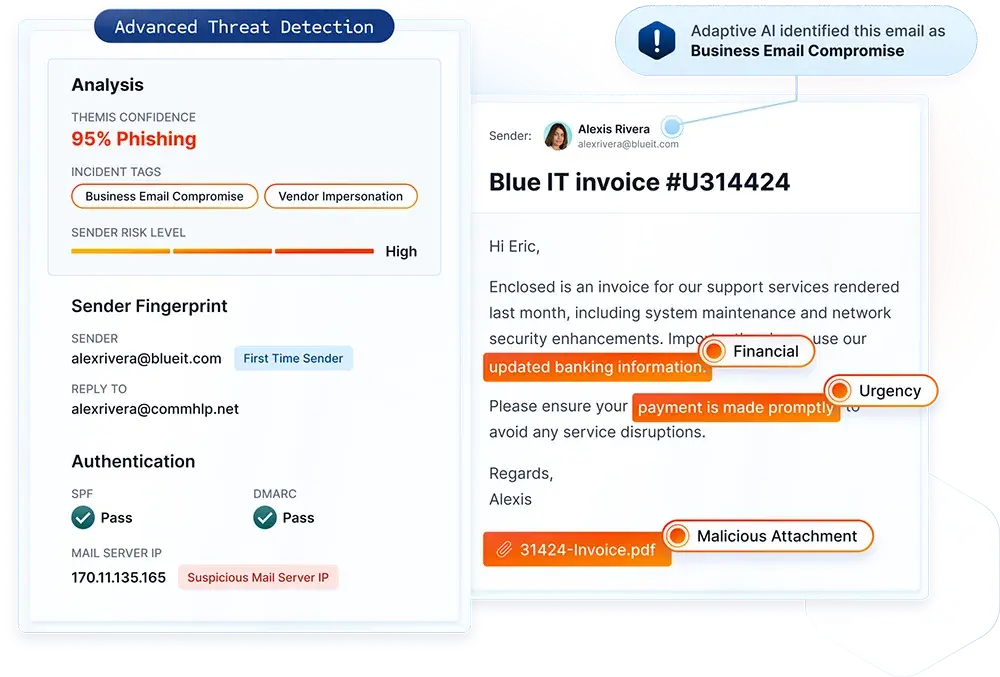
IRONSCALES is an AI-driven email security platform that combines automated threat detection with human insights to protect against phishing, BEC, and account takeover attacks. The platform emphasizes collaboration between AI and security teams, leveraging employee feedback to improve detection accuracy.
IRONSCALES integrates with Microsoft 365 and Google Workspace via API, providing layered protection without disrupting mail flow.
Its main differentiator is its human-in-the-loop model. IRONSCALES crowdsources threat reporting across users and customers to improve detection speed.
Key Features
- AI-Powered Threat Detection: Uses machine learning to detect phishing, BEC, malware, and account takeover attempts in real-time.
- Human-AI Collaboration: Integrates employee reporting to train the AI and improve detection accuracy over time.
- Automated Incident Response: Automatically quarantines and removes malicious emails from user inboxes across the organization.
- Security Awareness Training: Built-in phishing simulation campaigns to educate employees and reduce susceptibility to attacks.
- Threat Intelligence Sharing: Participates in a community threat intelligence network to identify emerging threats faster.
Pricing
IRONSCALES offers customized pricing based on organization size and deployment needs. Contact their sales team for a quote.
Pros
- Simple setup and intuitive UI
- Strong phishing and impersonation detection
- Includes user training and reporting tools
Cons
- Some threats caught post-delivery
- Occasional false positives
- Pricing can be high for SMBs
7. Sublime Security
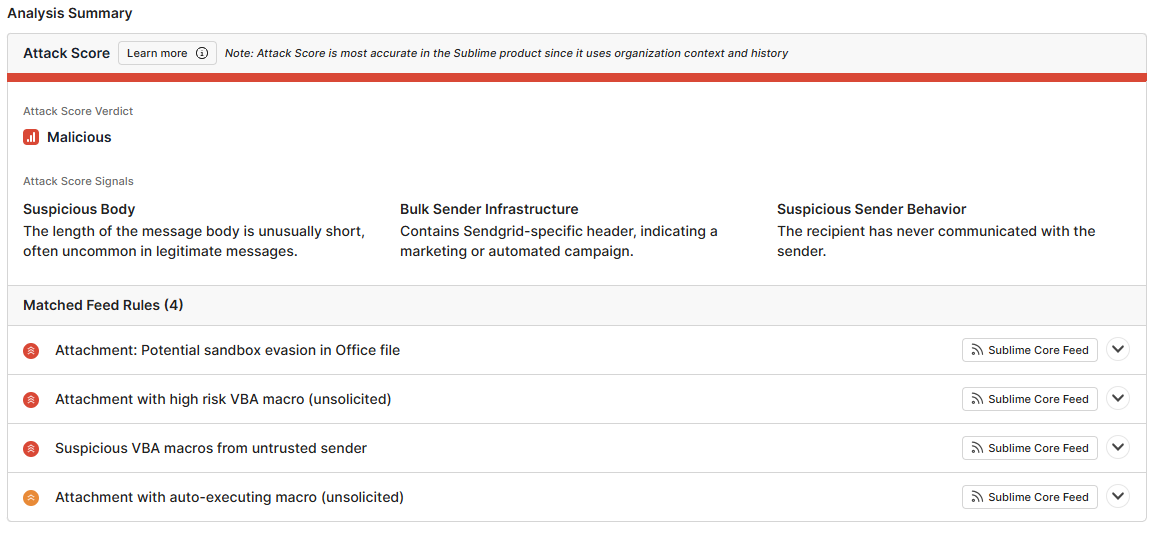
Sublime Security is a detection engineering platform that allows security teams to build custom email security detection rules using code. Unlike traditional email security solutions with pre-built rules, Sublime gives teams full control to create, test, and deploy sophisticated detection logic tailored to their specific threats and environment.
The platform integrates with email providers via API and offers a detection-as-code approach for advanced security teams.
Its differentiator is transparency and control. Sublime is built for teams that want to write and manage their own detections rather than rely on vendor black boxes.
Key Features
- Detection-as-Code: Write custom detection rules using a powerful query language (Message Query Language) for precise threat detection.
- Flexible Integration: API-based integration with Microsoft 365, Google Workspace, and other email platforms.
- Real-Time Analysis: Analyzes emails in real-time using custom rules, behavioral signals, and threat intelligence.
- Collaborative Detection Engineering: Version control and collaborative workflows for security teams to build and share detection logic.
- Advanced Threat Hunting: Query historical email data to investigate threats and refine detection rules.
Pricing
Sublime Security offers customized pricing for enterprises. Contact their sales team for details.
Pros
- Highly customizable detection-as-code platform
- Transparent, explainable threat logic
- Fast deployment and collaboration features
Cons
- Requires technical expertise to manage
- Limited long-term user feedback
- Less proven in very large environments
Trustmi: The Payment Fraud Prevention Layer that Fills the Gap
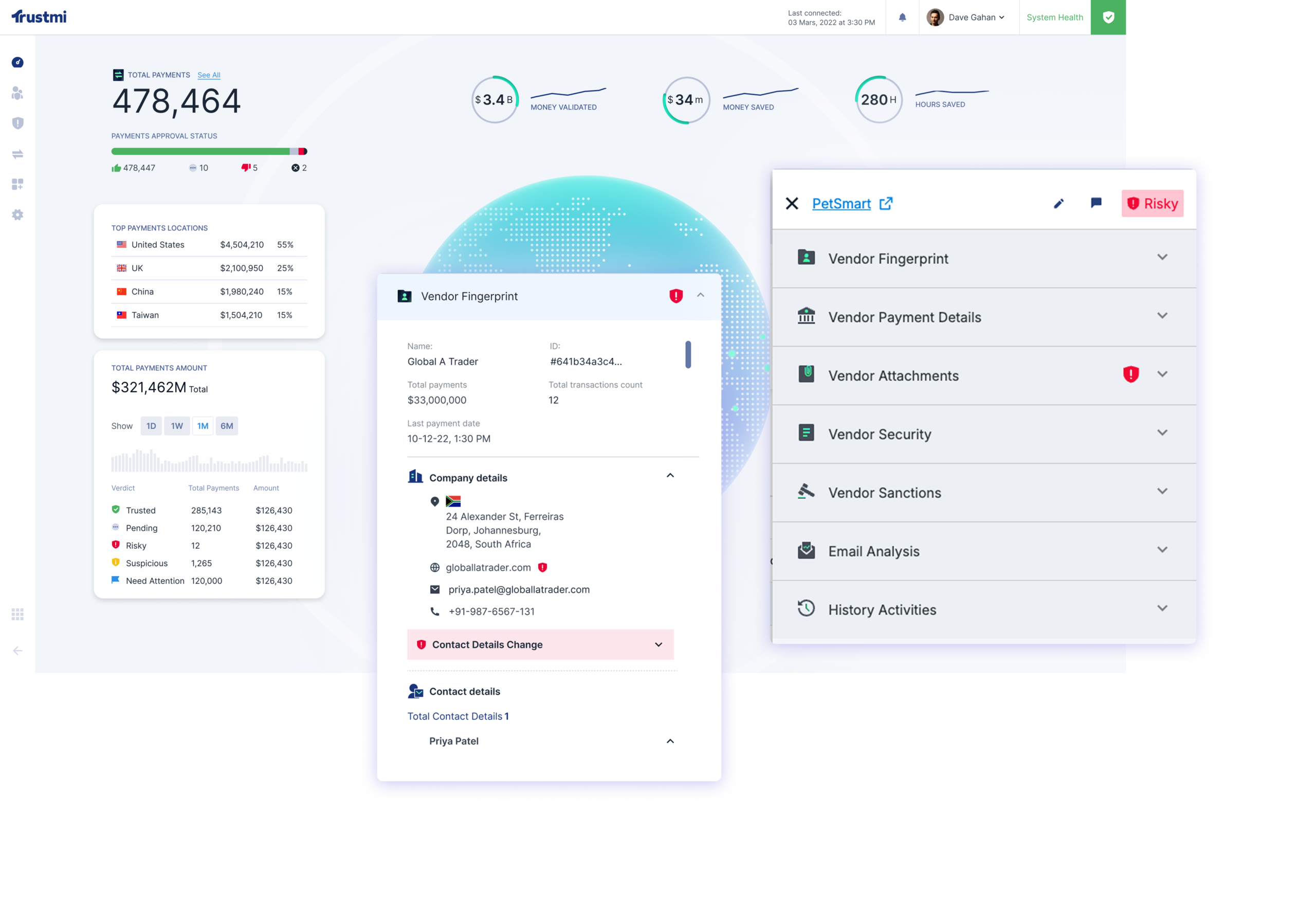
Email security is essential—and every tool on this list plays a valuable role in protecting the inbox. But as we covered earlier, inbox security alone can’t stop the kind of payment fraud that comes from compromised vendors, altered approvals, or clean emails that look legitimate. If you want full protection across vendor onboarding, approvals, and payment execution, you need a layer that sees beyond email. This is where Trustmi fills the gap.
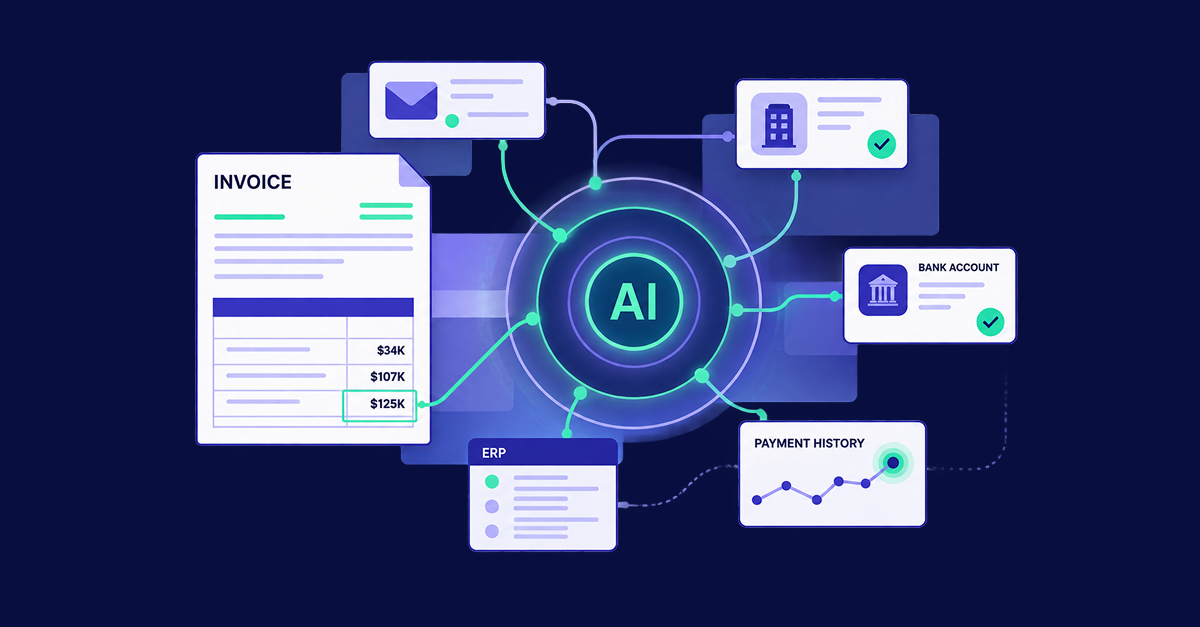
Trustmi is the first end-to-end B2B payment security platform, purpose-built to prevent the socially engineered fraud that email security tools miss. Using Behavioral AI, Trustmi monitors and validates every step of the payment process to detect and stop fraudulent transactions.
Here’s how Trustmi complements your email security:
- End-to-End Visibility: Monitors the entire payment lifecycle across vendors, communications, financial systems, procurement, ERP, and payments
- Behavioral AI Detection: Purpose-built to catch socially engineered attacks targeting B2B payments—BEC, vendor impersonation, account takeover, and fraudulent bank detail changes
- Financial Context Integration: Correlates email data with ERP, vendor, and payment history to detect sophisticated fraud schemes
- Automated Payment Validation: Verifies every payment against established patterns before money moves to eliminate manual callbacks
- Seamless Integration: API-based connection that works with your existing tools without disrupting workflows
Get Complete Protection for Your Business
Email security solutions are essential for inbox protection. But to stop payment fraud, you need a solution built for the complete payment workflow. Trustmi works alongside your email security to give you comprehensive protection against sophisticated financial fraud—from the inbox to the bank account.
Request a demo today to see how Trustmi complements your email security and stops payment fraud before money moves.



 Behavioral AI-powered security
  Protection on day one
  10-15x ROI